
Yahoo Image Search
A few people have released books recently and I’ve been asked by a few people to talk about formatting and marketing. Not sure why me, but I’ll be using today to touch on both topics. We’re going to start with formatting.
Honestly, this is not as difficult as people think. Many indie authors that have done this dance before will tell you this. It’s only scary the first time because there are tricks you stumble into. All it requires is patience and continually uploading, previewing, and fixing until you get it right. That and finding an author who did it and getting them to help. Smashwords has a free eBook on formatting too.
Here are the big lessons I learned when formatting for Kindle:
- Amazon auto-tabs, so you don’t need to put tabs in your work. This gets sticky because it reacts to EVERY tab. I cleared this by doing a Find/Replace for them. Find- ^t and Replace with nothing. The ^t is Word’s symbol for a tab and if you put nothing in the Replace slot then it deletes all the ^t.
- You can set the indentation to Special: First Line and By: 0.3 to help with the tabs too. You find this in the Paragraph options of Word.
- DO NOT use more than 4 ‘Enter/Return’ strikes in a row. It causes trouble. I never tested this to figure out what though.
- DO NOT use double-spaced lines. 1.5 works best.
- DO NOT use page breaks. Use section breaks instead because that’s what the Kindle acknowledges.
- This link will tell you how to add a Table of Contents to your book.
- There may always be paragraphs that are screwy because Word is imperfect. Easy to catch in short stories and smaller works, but difficult to find in bigger works. Don’t panic if you find them later. Fix and reupload, but try to get several issues at once. Otherwise, you’ll go nuts.
There you have it. My formatting tips. Again, patience is key and you can learn a lot from those that came before you. Just ask.



 Legends of Windemere
Reblogged this on Year 'Round Thanksgiving Project and commented:
Now if indie authors would all do as good of a job with editing their work as Charles does.
LikeLike
thanks Charles… I book-marked this so that in the unlikelihood I ever decide E-publish I have this little tidbit of info…
LikeLike
You’re welcome. One on marketing is going up later today.
LikeLike
I think the marketing would be the easier for me (I have a background in marketing having worked for five years in direct marketing,) it’s the technical stuff that really bogs me down, even on my own blogs there are some things I don’t do because I don’t know how to do them… I really am a dinosaur, I don’t own a phone even…
LikeLike
I think it’s more scary than tough. You have that worry that something will be off and panic when you see it. I was like that at first, but once I got it taken care of, I realized how easy it was.
I’m sure you’re more from that Mammoth era than dinosaurs. 😉
LikeLike
Me too
LikeLike
Reblogged this on The Literary Syndicate and commented:
Good information for those of us who have not yet uploaded an E-book and are a tiny bit scared by the task. Check it out my friends!
LikeLike
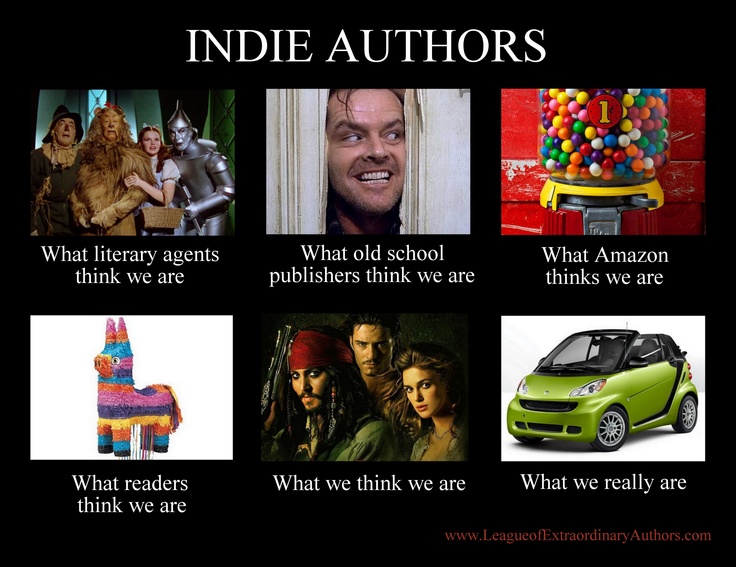
I lol’d at the graphic. Great info in here. Thanks for the tips.
LikeLike
I love finding those funny memes.
LikeLike
I am not sure we can be personality typed like this. I think it is delusioal. Peace, Barbara
LikeLike
I’m not sure I follow how the formatting tips are delusional.
LikeLike
You are right, it is scary the first time, but after that it becomes old hat.
LikeLike
Wait. I never got a hat when I did it the first time. Can it be a fez or a bowler?
LikeLike
Stovepipe
LikeLike
I can hide so many things under that!
LikeLike
I know, right. I have a Lincoln stovepipe on my wall.
LikeLike
Is it really from Lincoln?
LikeLike
Yes and I about mortgaged my soul to get it.
LikeLike
Very cool. Though, it’s easier to mortgage the souls of others. Just have them sign it over for the promise of cupcakes.
LikeLike
These are all really helpful. The one I struggle with most is page numbers, for paperback formatting. How to get it so that the page numbers start when the story starts. Word does NOT make that intuitive. Thankfully, Scrivener makes sure all my ebooks come out well.
LikeLike
I have the 2013 version of Word and it was harder to figure out at first, but it was easier to handle. Previously I had to connect and toy with every chapter then fight when I tried to cut the title page out. I start the numbers at the copyright info like many of the books I have. Still, it’s a major pain to do. Probably the only remaining annoyance since the rest I can fix as I write.
LikeLike
Yeah, in the Mac version of Word I use (but this is true in my desktop one too), the only built in option is to skip page one (title page) and start it at the next, which is also my copyright page. I think I might have done what you did, fiddling with each chapter, and it messed up my formatting badly with Dusk. It took me weeks to get it right. So with Darkness on forward, i figured starting at page 2 was good enough LOL
LikeLike
Makes me glad I don’t have to worry about page numbers on eBooks. Such a headache.
LikeLike
Patience is also the key to writing, editing, publishing, checking stats, monitoring reviews, and just about everything else author-related. 🙂
LikeLike
Very true. Though deadlines can get in the way of that patience.
LikeLike
Much useful info. I haven’t braved the actual formatting of an ebook, but am hoping Scrivener can help with that. I don’t like paying a middleman, when it is something I could learn to do myself.
LikeLike
Saving money definitely helps. If you’re not going KDP Select then you can set up on Smashwords first and they actually tell you what you have to change. They won’t let your book go up unless you get the formatting right.
LikeLike
That’s good to know. i know Apple, as a distributor, requires a mac to prepare it for them. My independent had a mac and we ran into some errors with apostrophes in the chapter titles that had to be taken out for the TOC to function properly.
LikeLike
Never heard of that. Smashwords hits all the non-Kindle platforms, so I avoided the other ones by going through them.
LikeLike
We went through Smashwords first. For some reason. Althea’s Tragedy and Sybil’s Story titles had to be changed to The Tragedy of Althea and The Story of Sybil and Nathan due to some errors in the TOC that made it not function with apostrophes.
LikeLike
That’s strange. I’m sure I’ve seen apostrophes in those before. How did you prepare the TOC?
LikeLike
I just had it prepared as a word doc on my PC and David formatted it on his Mac and published it through smashwords, then sent me an RCAR file for KDP to upload myself. I can make changes on the RCAR like minor edits, but I can’t toy with the formatting. The TOC was done first in a word navigation bar.
LikeLike
No idea then. I only work with Word on a PC. Might be something in the conversion.
LikeLike
Pingback: Sunday Scoopful and #ROW80 | Linda Nelson