
This always drives me nuts.

When you’re ready to have your book printed with CreateSpace and you’re planning on tackling the cover on your own it can seem rather daunting. It certainly terrified me to begin with and I only very recently updated my covers from the originals I made using the CreateSpace online cover creator. There’s nothing wrong with using that though. It depends on you entirely. Today I’ll show you how to make a PDF cover using their downloadable template. Once you’ve finished the interior of your book and have the final page count, go to the CreateSpace Template Generator and fill in all the required fields.
- Click on screenshots to enlarge.
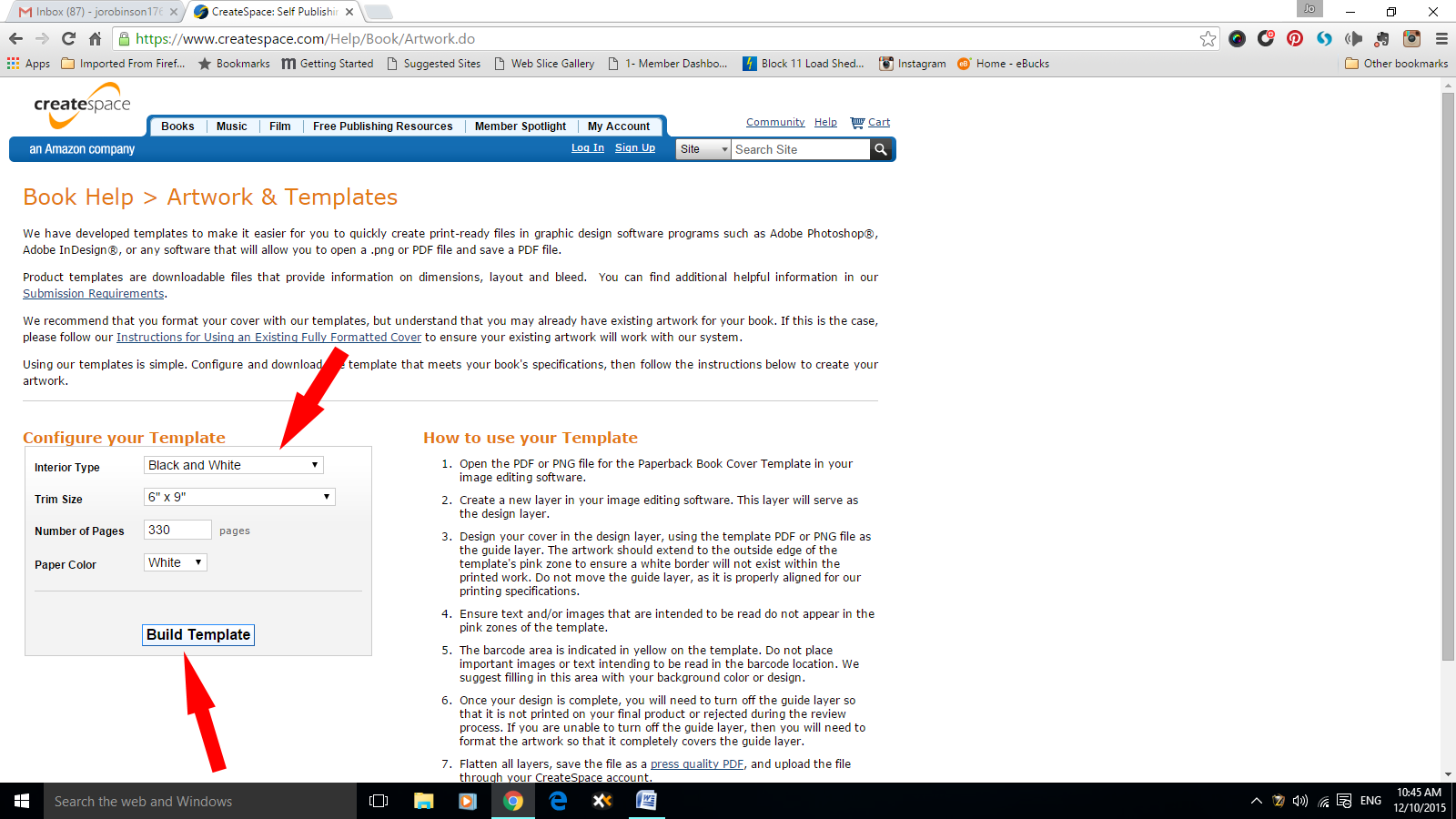
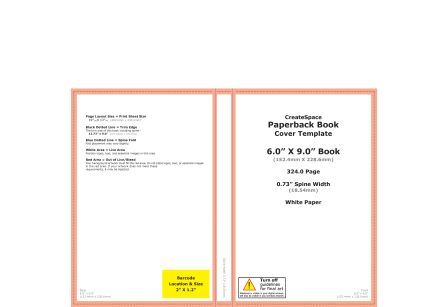
Click on Build Template and it will download a zipped file containing two templates. One PDF and one PNG. Drag the PNG across to the folder that you’ve allocated for all the elements of your cover design.
For some reason these…
View original post 843 more words





 Legends of Windemere
Me too Charles – I have to size them to 3000 pixels High to get the correct width (providing I’ve been advised of the correct number of pages and ratio – 1:1.5 / 1:1.6, etc) 😀
LikeLike
I’m always caught offguard by how picky Createspace is. Then again, I’ve been backing off on the paperback stuff. My last book doesn’t even have one because they simply weren’t selling and it felt like too much hassle for no payoff.
LikeLiked by 1 person
I can believe it Charles…
LikeLike
Funny. I saw your comment just as a friend sent me a Naruto meme that said ‘BELIEVE IT!’ Amusing timing.
LikeLiked by 1 person
😀 😀 😀
LikeLike
Great advice! Will bookmark this post.
LikeLike